How to fill empty turf slots with a WhatsApp poster
A slots poster works because your regulars already spend their evenings in WhatsApp groups. What to put on it, when to send it, and how to make one without design skills using the free Yuvo tool.
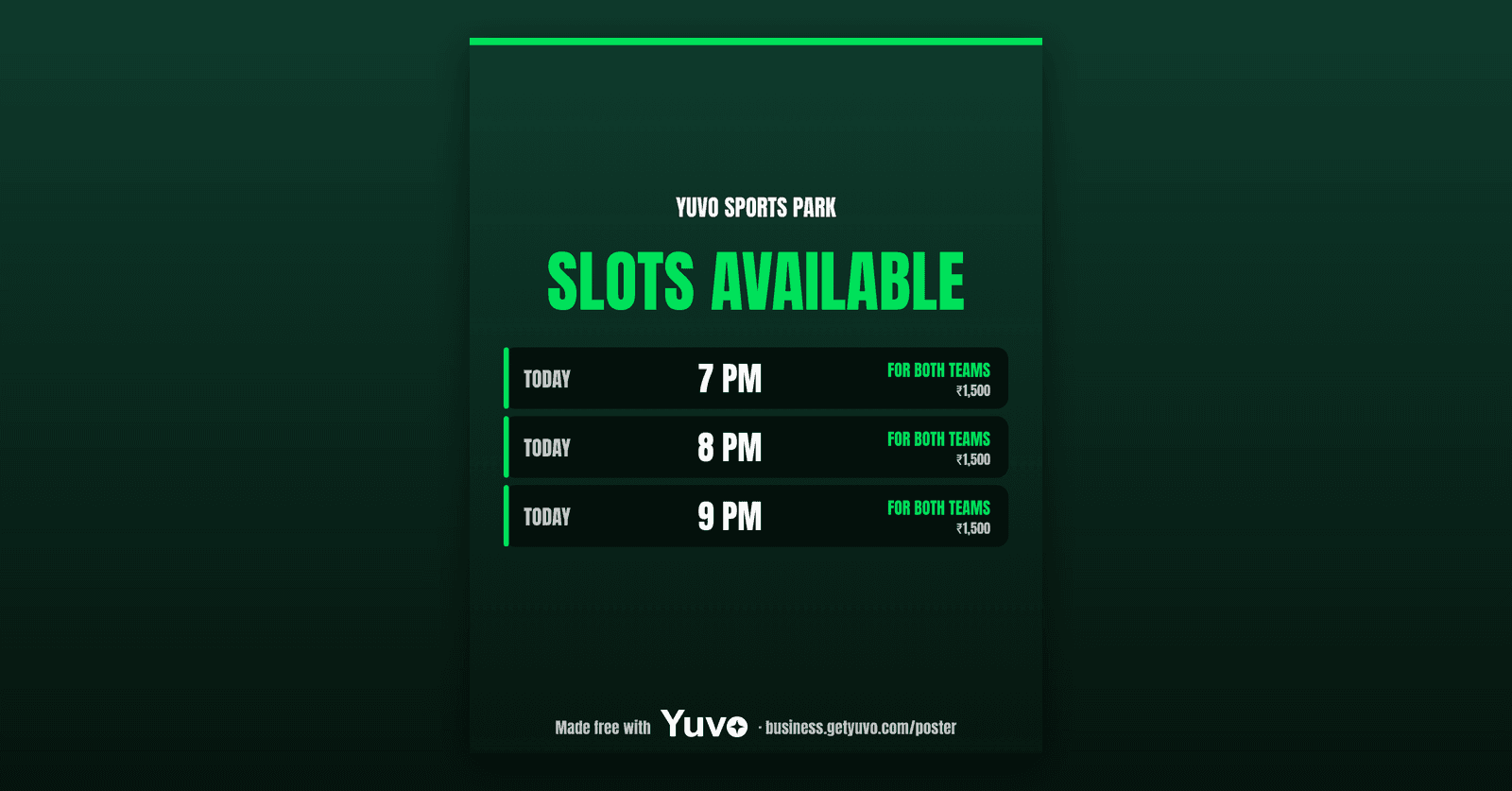
Your Tuesday afternoon slot is not empty because nobody wants it. It is empty because nobody knew it was free. The best place to tell people already exists: the WhatsApp groups your regulars, their office teams and their friends sit in.
A text message in a busy group gets scrolled past. A poster with times and prices gets noticed, saved and forwarded, and the forward is how a slot reaches people who are not in your groups at all.
What goes on a slots poster
Keep it to what a captain needs to say yes.
- The sport and the venue name, so it is clear which ground this is.
- The open slots, with the time and the price next to each one.
- One way to book: your booking link or a QR that opens your booking page.
That is all. If a captain has to call you to learn the price, the poster has failed. If a slot on the poster has already been taken, the poster has failed in a worse way, because the next captain who finds that out stops trusting it. Only put slots on it that are open when you send it.
Price is the part owners hesitate over. If a slot has stayed empty at the usual price, the poster is a fair place to offer that one slot for less. Change the price of that single slot, put the lower price on the poster, and leave the rest of the week alone. When the slot fills, you have learned what that hour is worth.
When to send it
Pick a time and keep it. A poster that arrives at the same time every day becomes something people check, the way they check a match score. Weekday slots usually need the most help, so send those the evening before. Send what is left of today in the morning.
Do not send it to every group every day. Choose the two or three groups where people actually book, and see which one fills slots before you add more.
Keep a note on paper or in your phone of which group got which poster and which slots filled. After a week you will know which group books and which only reads, and you can stop spending your evening on the second kind.
Make one with the free Yuvo tool
The Yuvo Slots Available Poster Maker, also called the Cricket Poster Maker, is free and needs no sign up.
- Open the tool and pick your sport.
- Type your open slots with their times and prices.
- Tap share and choose the WhatsApp group.
The next time you open it, it remembers your ground, so a daily poster is a short job.
Before you send it, look at the poster on your own phone the way a stranger would. Can you tell the sport, the times, the price and how to book within five seconds? If you cannot, change it before it goes out.
What the poster does not do
It does not post for you or message anyone. You choose the group and you tap send. It is a picture, so it cannot take a booking by itself. That is why the booking link matters: a captain who likes a slot should be able to ask for it from the poster, without a phone call.
A booking page does that. Yuvo for Venues is in beta, and it gives you a booking page on your own link where a captain asks for a slot with a team name and a WhatsApp number, with no login. It can also make a QR standee for the counter at your ground.
It does not fill slots by itself yet. Automatic slot filling is Coming soon, so for now the poster, the groups and the timing are yours.
Try it this week
Make one poster for the slots you are most worried about, send it to one group at the same time on three days, and note which slots fill. If a slot fills, keep the habit. If none do, change the price or the group before you change the poster.
Open the Yuvo Slots Available Poster Maker (opens in a new tab) to start. If you want the booking page behind the poster as well, see Yuvo for Venues (opens in a new tab).