How to set up a venue booking page on Yuvo for Venues
Set up a booking page on Yuvo for Venues in one sitting: pitches, a weekly schedule, instant or request, your UPI ID and your own link. Steps and limits.
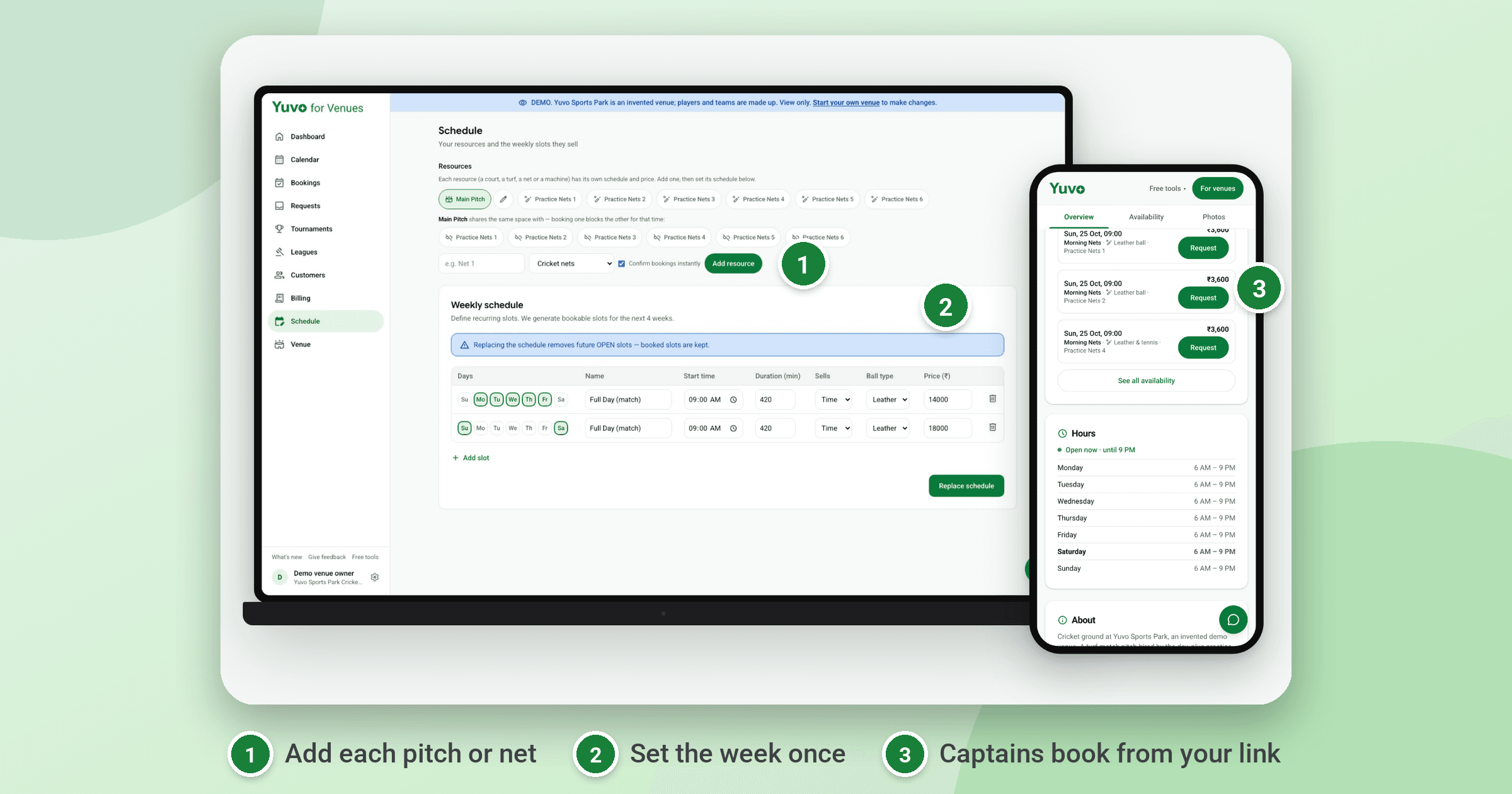
To set up a booking page on Yuvo for Venues, sign in, add your pitches or nets, set a weekly schedule with prices, choose instant or request for each one, add your UPI ID, and pick your own booking link. Then share that link on WhatsApp. It takes one sitting, and the calendar fills itself from your schedule.
Most owners who try booking software stop at the first screen, because nobody told them what to do in which order. This guide walks the order that works, then says plainly what the tool does not do yet.
What do you need before you start?
You need an email address to sign in, a list of what you rent out, and your usual prices for each time band. Have your UPI ID ready if you want advances to reach you directly.
A photo of the ground and your opening hours help the public page, but you can add them after the first booking. Nothing else is required.
How do you set up your booking page, step by step?
- Sign in on business.getyuvo.com with your email address, or with a password.
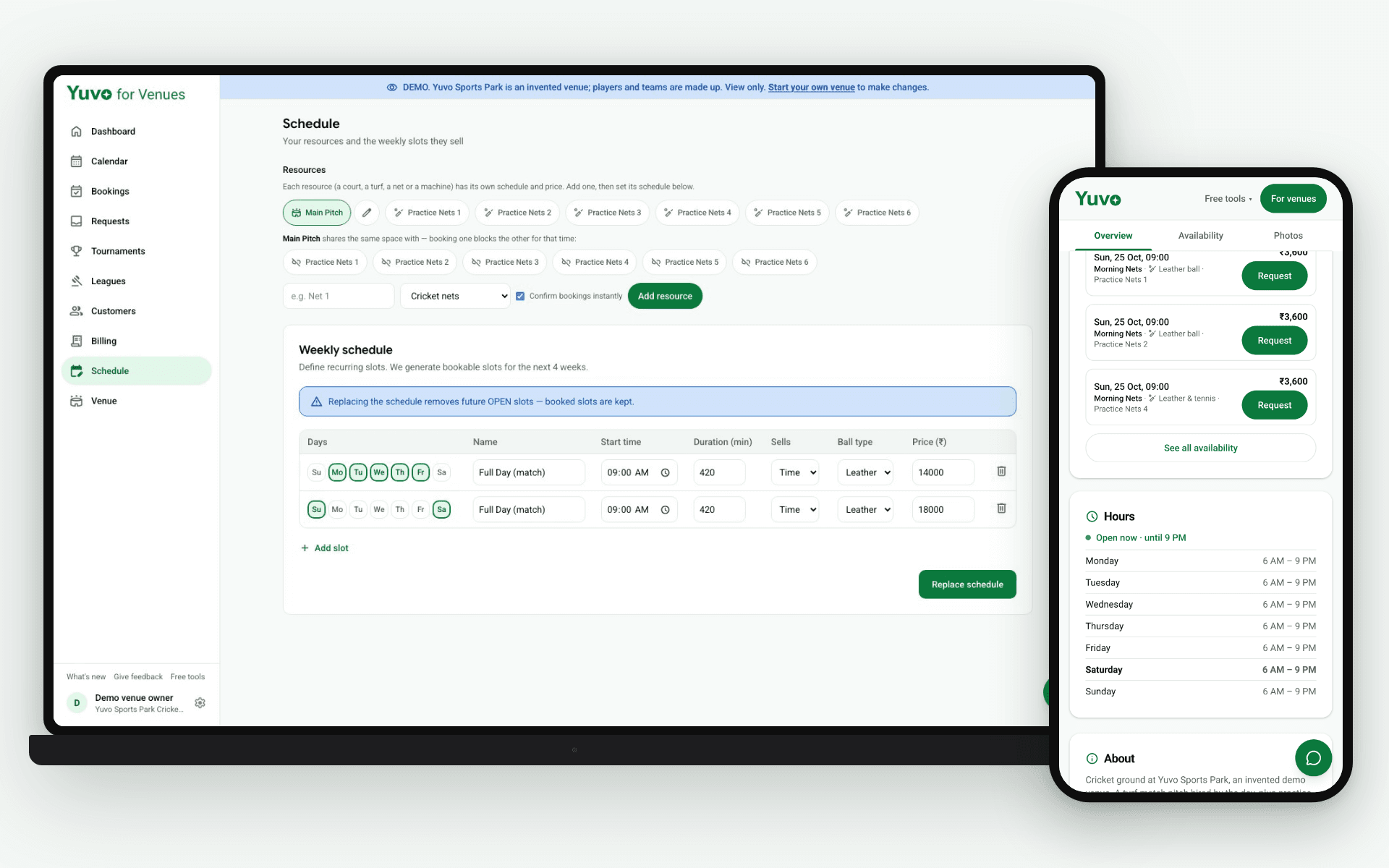
- Add your resources: each pitch, net or court you rent out. Each one gets its own schedule and price.
- Build the weekly schedule for each resource. Pick the days, the start time, the slot length and the price. The calendar then makes slots for the coming days on its own, every night.
- Choose instant or request for each resource. Instant shows a Book now button, which suits short slots at quiet hours. Request lets you confirm a prime match slot yourself, with a confirm by time.
- Add your UPI ID in the venue profile. After a booking, the captain sees a UPI link and a QR for the exact amount, and the money goes to your account.
- Pick your booking link, the part after getyuvo.com/b/. Share it on WhatsApp, copy it, or print the QR standee for the counter.
Test it once as a customer. Open your link on your phone, request a slot, and watch it arrive in your inbox. A five minute check saves a wrong price on a busy Saturday.
What should you check in the first week?
Look at the calendar each morning for the first few days. Slots show as available, held, booked or blocked, and a request stays held until you confirm it or its confirm by time passes.
Block the slots you cannot sell, such as a company evening or a net that is out of use. The public page stops offering them straight away.
After the first real booking, compare the amount the captain was shown with what reaches your UPI app. If they match, your price and UPI ID are right. If not, fix the price in the schedule and test again.
What are the advantages of this setup?
The calendar is yours and the customers are yours. Captains book with a team name and a WhatsApp number, with no app and no login, so the relationship stays with your ground.
Slots appear from the schedule, so you stop typing next Saturday into a register on Friday night. A walk in is one tap in the same calendar, so a slot cannot look free on one page and booked on another.
The advance goes straight to your UPI ID with no gateway in between, and Yuvo does not take a cut of every booking. If an old link changes, the earlier one keeps redirecting to the current one.
What are the limits today?
Yuvo for Venues is in beta, so check each step on your own ground before you depend on it.
It does not fill your slots for you yet. Automatic slot filling is Coming soon, and for now you decide who gets a message. Your confirm and payment reminder messages open as WhatsApp drafts that you press send on.
You verify each advance in your own UPI app, because the tool shows the captain the amount but does not read your bank. You can change your booking link once every 30 days.
To try the steps before using your own ground, open the demo from Yuvo for Venues (opens in a new tab). It runs on Yuvo Sports Park, a made up venue, so no real ground is shown.