How a turf owner raises a GST invoice and tracks TDS
How ground and turf owners raise GST invoices, work out CGST, SGST or IGST and TDS under section 194-I, and track what is owed.
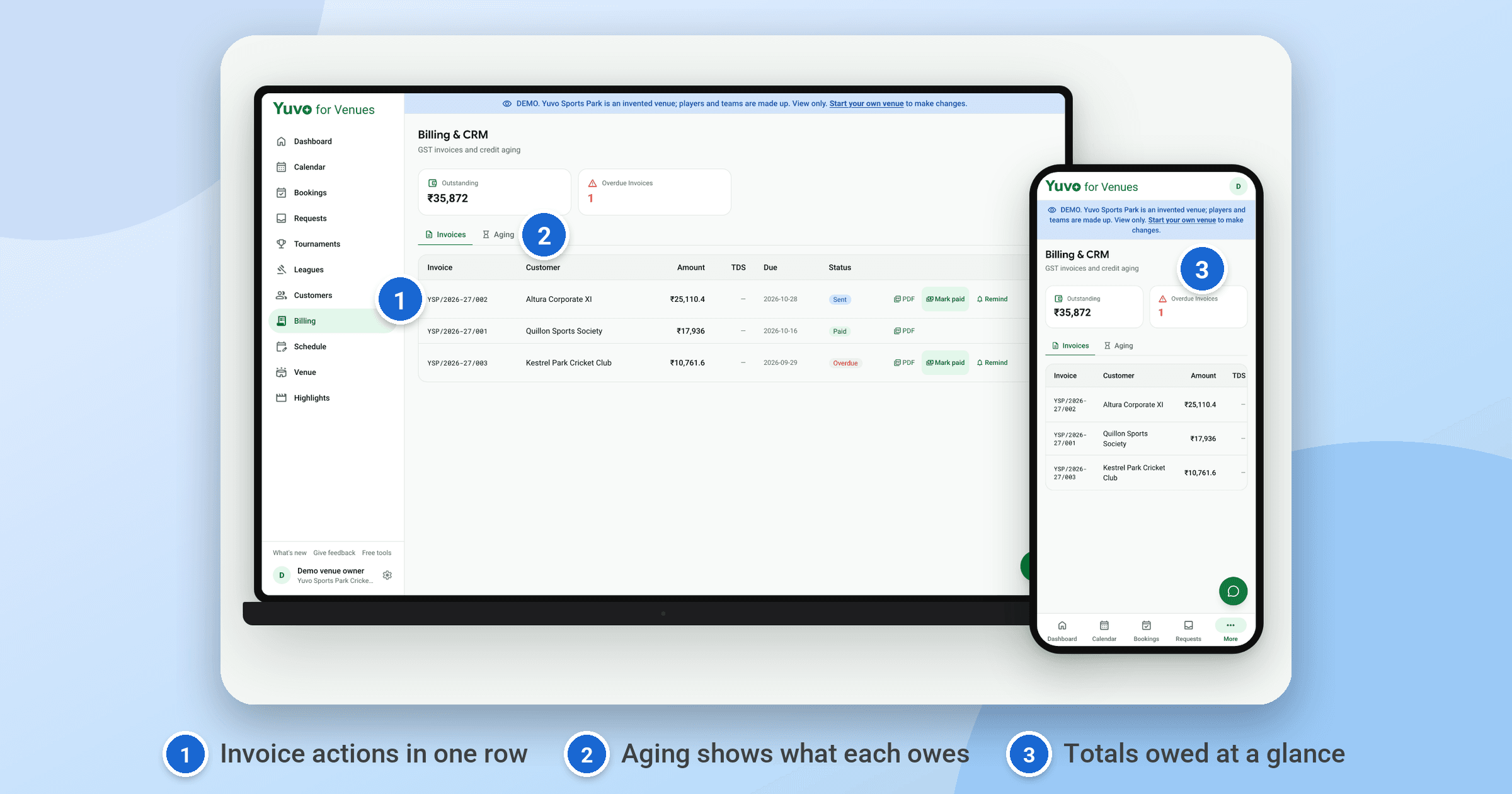
Raise a GST invoice from the Billing section in Yuvo for Venues. The form allocates the invoice number, works out the CGST plus SGST split or the IGST split, calculates TDS under section 194-I on the rent, and records the entry in the TDS register in the same step. You can then download the invoice as a PDF.
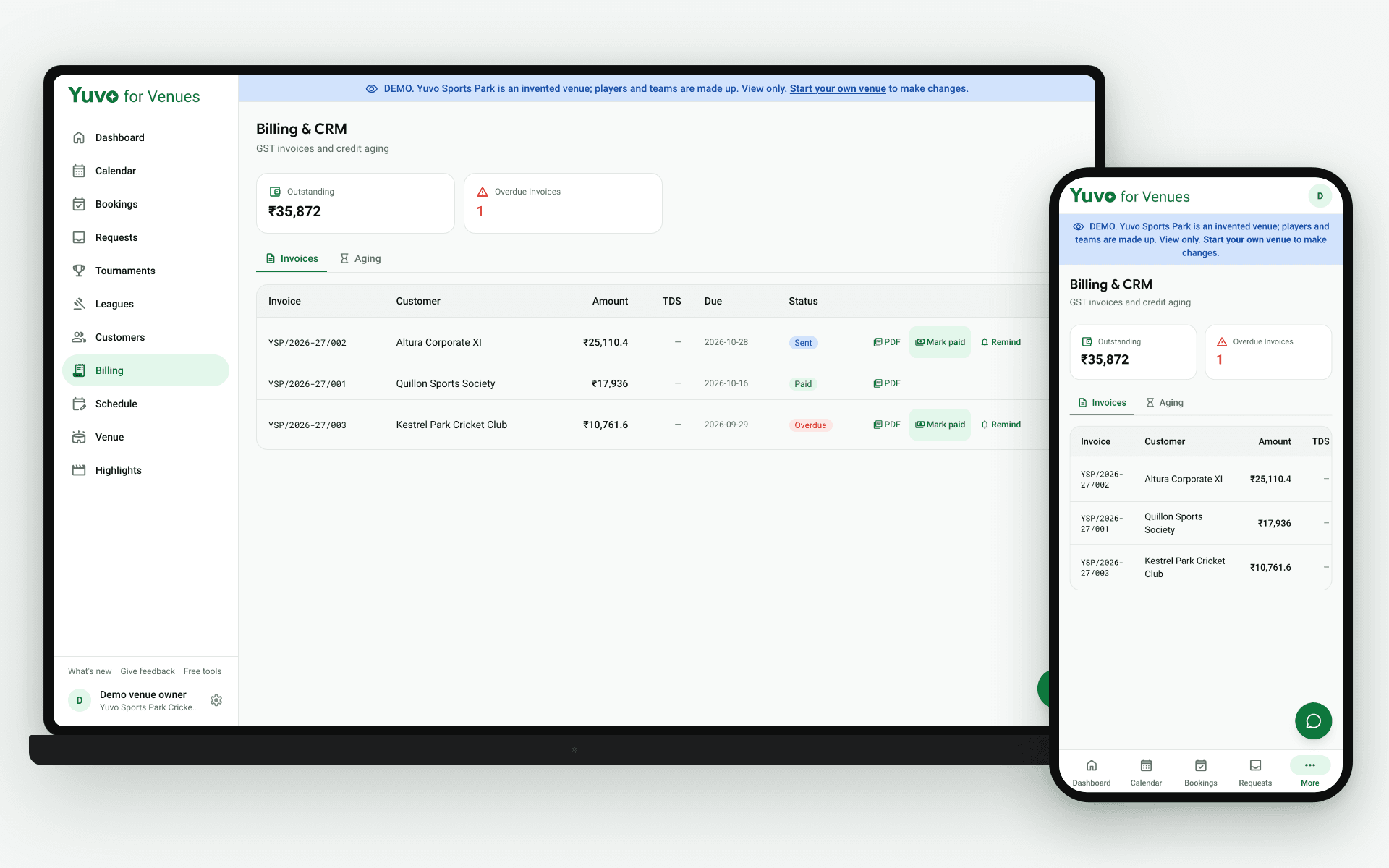
What does the invoice form work out for you?
The new invoice form allocates the invoice number, so you do not keep a running count by hand. It works out either the CGST plus SGST split or the IGST split, and it works out TDS under section 194-I on the rent.
The TDS register entry is written at the same moment the invoice is created. The tax on the invoice and the line in the register come from one entry, rather than two separate records that can drift apart. The same holds if you void an invoice: voiding withdraws its register entry, so the invoice list and the register cannot drift apart.
Which split applies to a booking depends on your own position, so check it with your accountant. The form does the arithmetic once you have decided.
Invoices are raised to a billing account. The customers section keeps billing accounts apart from your regulars: regulars are the captains you may contact, with consent controls, and billing accounts are the customers your invoices join.
Can you download the invoice as a PDF?
Yes. Every invoice can be downloaded as a PDF, which is the version you send to the customer and keep for your own records. It carries what the form recorded, so the PDF and the entry in your books line up.
Keep the PDF with your other booking paperwork rather than rebuilding an invoice later. It matches the TDS register entry made at the same time. When a customer asks about the tax split or the TDS deduction, you open the PDF and read the figures off it.
How do you mark an invoice paid and chase it on WhatsApp?
One tap marks an invoice paid, and a confirm dialog appears first so you do not settle the wrong invoice by accident. Read the invoice number and amount in the dialog before you confirm.
If a customer has not paid yet, the Remind button opens a WhatsApp message that is already filled in with the invoice, the amount and the due date. You review it and press send yourself. Yuvo sends nothing on its own, so no message leaves your account unless you decide it should.
How does the TDS register under section 194-I get filed?
Entries are filed automatically when an invoice is created, so there is no hand-entry step and no separate register to keep by hand. The tool works out the financial year and the quarter on the April to March year, not the calendar year, and files the entry in the right quarter. An invoice raised in March and one raised in April therefore fall in different financial years.
When you have matched an entry against the tax deducted, mark it reconciled by adding a Form 26AS reference. If an invoice turns out to be wrong and you void it, its register entry is withdrawn as well, so a void invoice does not leave a stray TDS line behind.
How does credit aging show what a customer still owes?
Credit aging groups what each customer owes into current, 30, 60, 90 and over 90 days. It is worked out from the due date, not from the booking date, so an invoice that is long overdue shows up in the right group. The groups are kept per customer, so you read each customer's position in one place.
You can see at a glance which amounts are recent and which have been sitting long enough to need a reminder or a conversation. Check the group before you press Remind, so the message matches how long the amount has been outstanding.
This describes what the tool does and is not tax advice. Check how the rules apply to your own position with your accountant. Yuvo for Venues is in beta, and you can read more at Yuvo for Venues (opens in a new tab).