How to make a cricket tournament fixtures poster for free
How to build a cricket tournament fixtures poster as a picture for a group post or WhatsApp status, free, with no sign up and no need for a design tool.
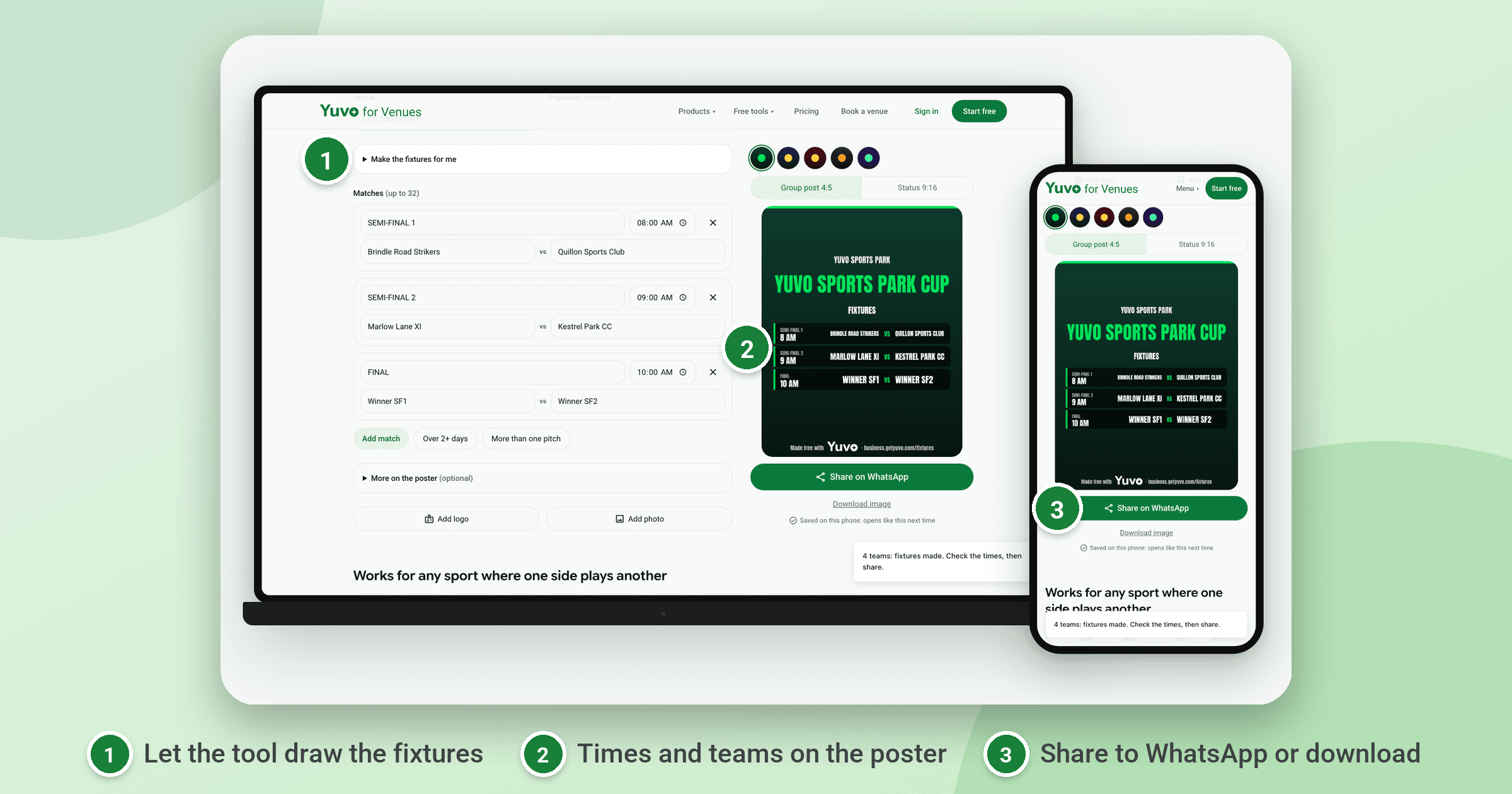
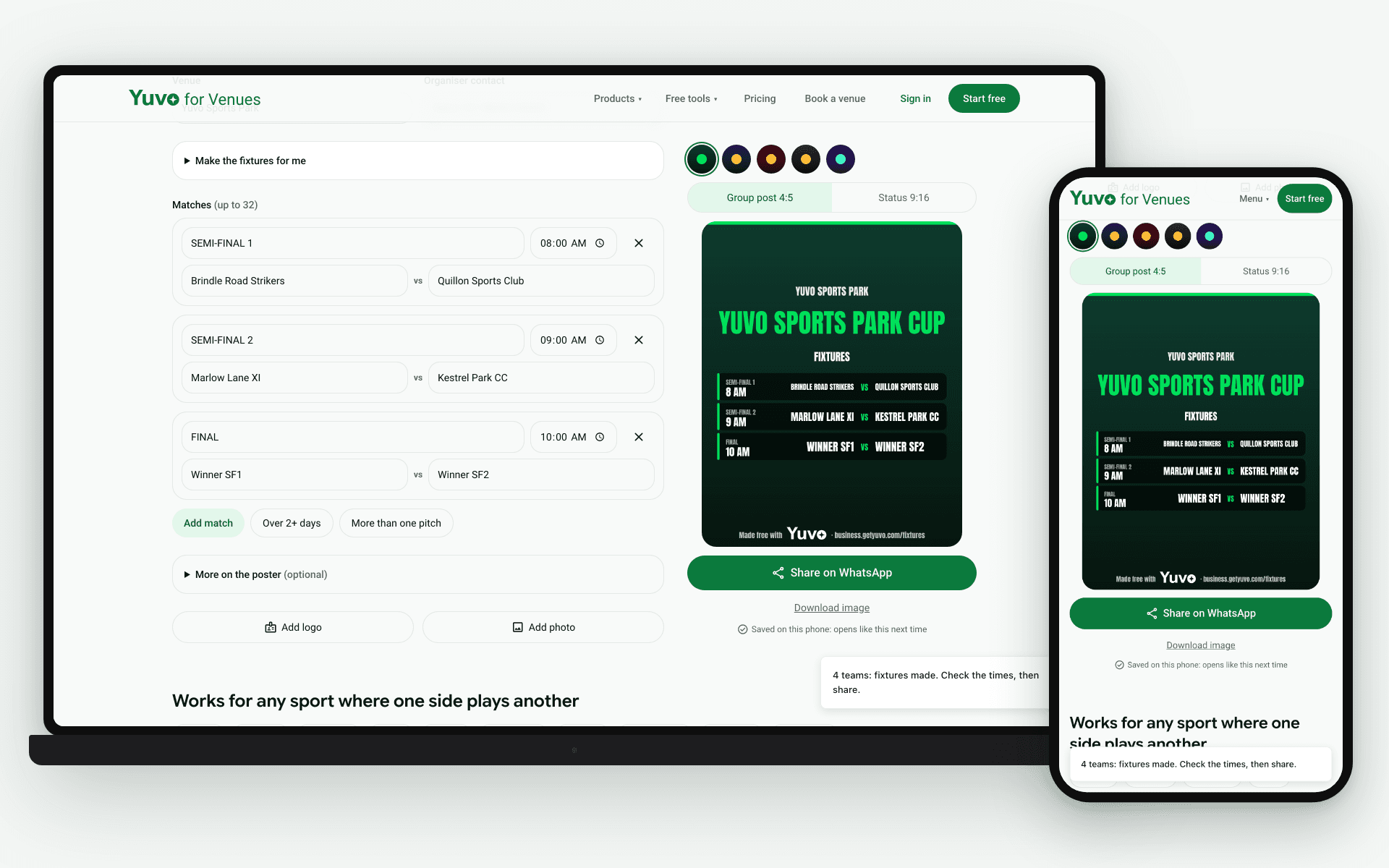
You make a cricket tournament fixtures poster by typing your matches or team names into the Yuvo Cricket Tournament Fixture Maker, a free tool at business.getyuvo.com/fixtures. It draws a knockout, a league, or two groups with semi finals, adds your round times and pitch name, and gives you images in 4:5 and 9:16 sizes with no sign up.
What does the Yuvo Cricket Tournament Fixture Maker do?
It turns a list of teams or matches into a drawn fixture list that you can share as a picture. You type either the matches you want played or just the team names. The tool then builds a knockout with standard seeding and byes, a league, or two groups followed by semi finals.
It is free and works while you are logged out, so there is nothing to sign up for. The matches list takes up to 32 matches, and a Make the fixtures for me option arranges the draw from your team names. It also works for any head-to-head sport, not only cricket, so the same tool covers a badminton or football draw.
How do you get from typing teams to sharing the images?
You do not need an account or an app. Open the tool in your browser and follow these steps.
- Open the Yuvo Cricket Tournament Fixture Maker at business.getyuvo.com/fixtures. You can start typing straight away while logged out.
- Type in your matches, or type the team names and let the tool arrange the draw for you. Pick the format that matches your tournament.
- Add a time for each round and a court or pitch name if you want them shown on the poster.
- Read through the drawn fixtures on screen, then take the images the tool produces.
- Share the images yourself, by posting them in your group or sending them in a WhatsApp chat. The tool does not send anything for you.
Before you share, check the pairings on screen against your own list of teams. Look at the round times you typed and confirm the court or pitch name is spelled the way you want it printed. If a pairing is wrong, go back and adjust the list first, because the picture carries whatever the draw shows.
Which fixture formats can it draw?
It offers three. A knockout uses standard seeding and gives byes where the number of teams needs them. A bye means a team goes through to the next round without playing, which is how a knockout copes with a team count that does not fill a clean bracket. A league and two groups followed by semi finals are the other two.
Pick the format that matches how you announced the tournament: a straight knockout, a league, or group matches that feed into semi finals. When you pick one, check how the teams are spread across the draw before you add times. In the two group format, confirm that both groups are filled as you expected before you move on.
What sizes do the images come in, and why are some split into numbered images?
The tool draws two sizes. The 4:5 size suits a group post, and the 9:16 size suits a WhatsApp status. Every image is printed with "Made free with Yuvo" and the address business.getyuvo.com/fixtures.
A long fixture list is split into numbered images, so each image stays readable. When your list is long, check that the images are numbered in order so you can post them in sequence and nobody reads the wrong round.
Choose the size by where the picture will be seen. Make both if the fixtures go to a group chat and to a status.
What does the tool not do?
It makes a picture and nothing more. It does not take team registrations, it does not score matches, and it does not send anything to anyone. The organiser shares the images. If the draw changes after you post, make the images again and share the new set, because a picture does not update itself.
Inside Yuvo for Venues, which is in beta, the Tournaments section can open the same poster on a draw you have already saved. That means you do not type the list a second time. If you have no saved draw yet, make the poster first with the free fixture maker and share the images yourself.
To build the fixture pictures, use the Yuvo Cricket Tournament Fixture Maker (opens in a new tab), which needs no sign up. If you run the ground that hosts the tournament, see Yuvo for Venues (opens in a new tab).