Why captains can book a ground without a login
A captain opens a venue booking page from a link, picks an open slot and gives a team name and a WhatsApp number, all without a login.
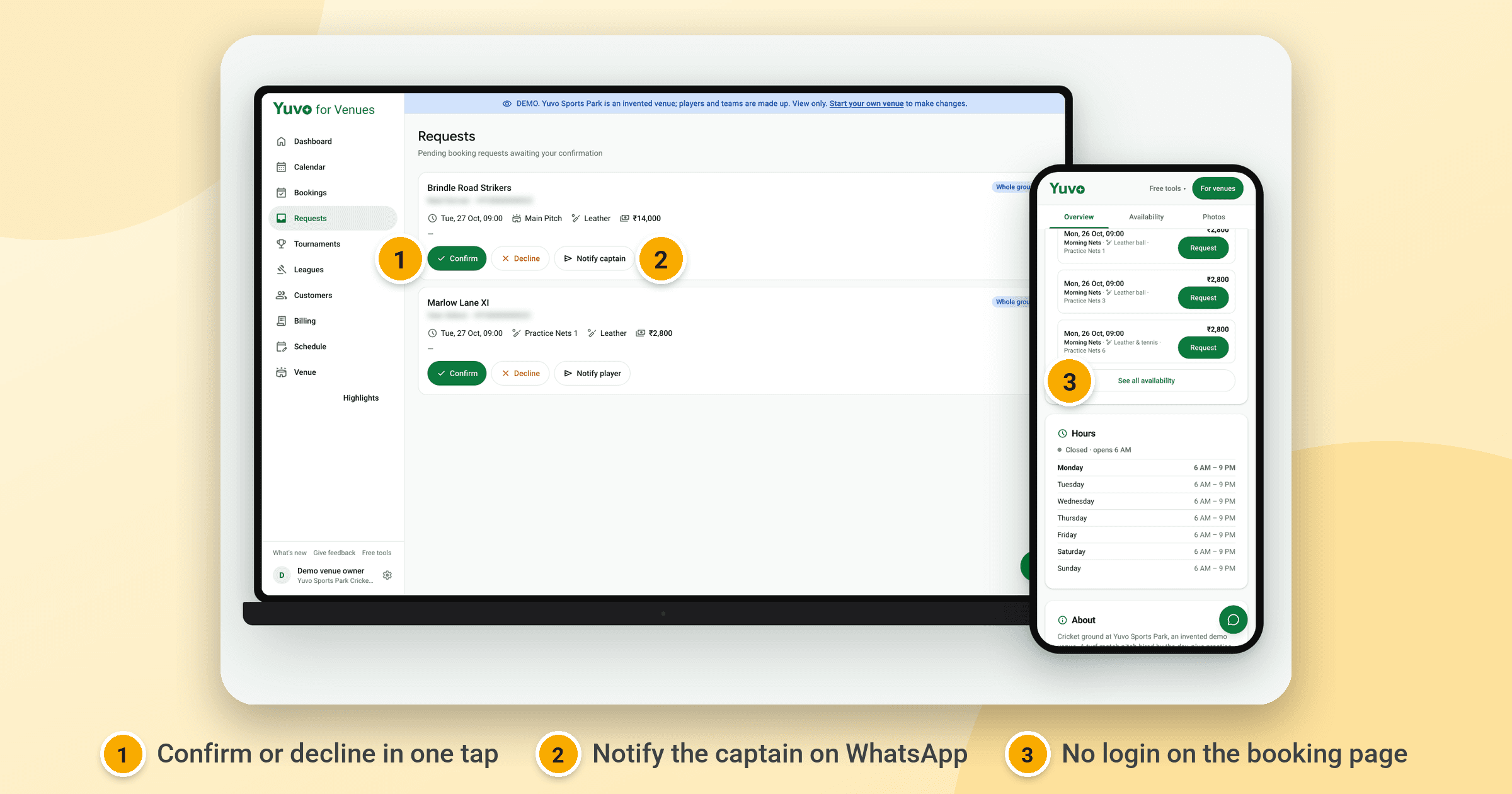
A captain can book a ground without a login because each venue on Yuvo for Venues, the owner software that is in beta, has a public booking page. The captain opens it from a link, picks an open slot and enters a team name and a WhatsApp number. No account, password or app is needed at any point.
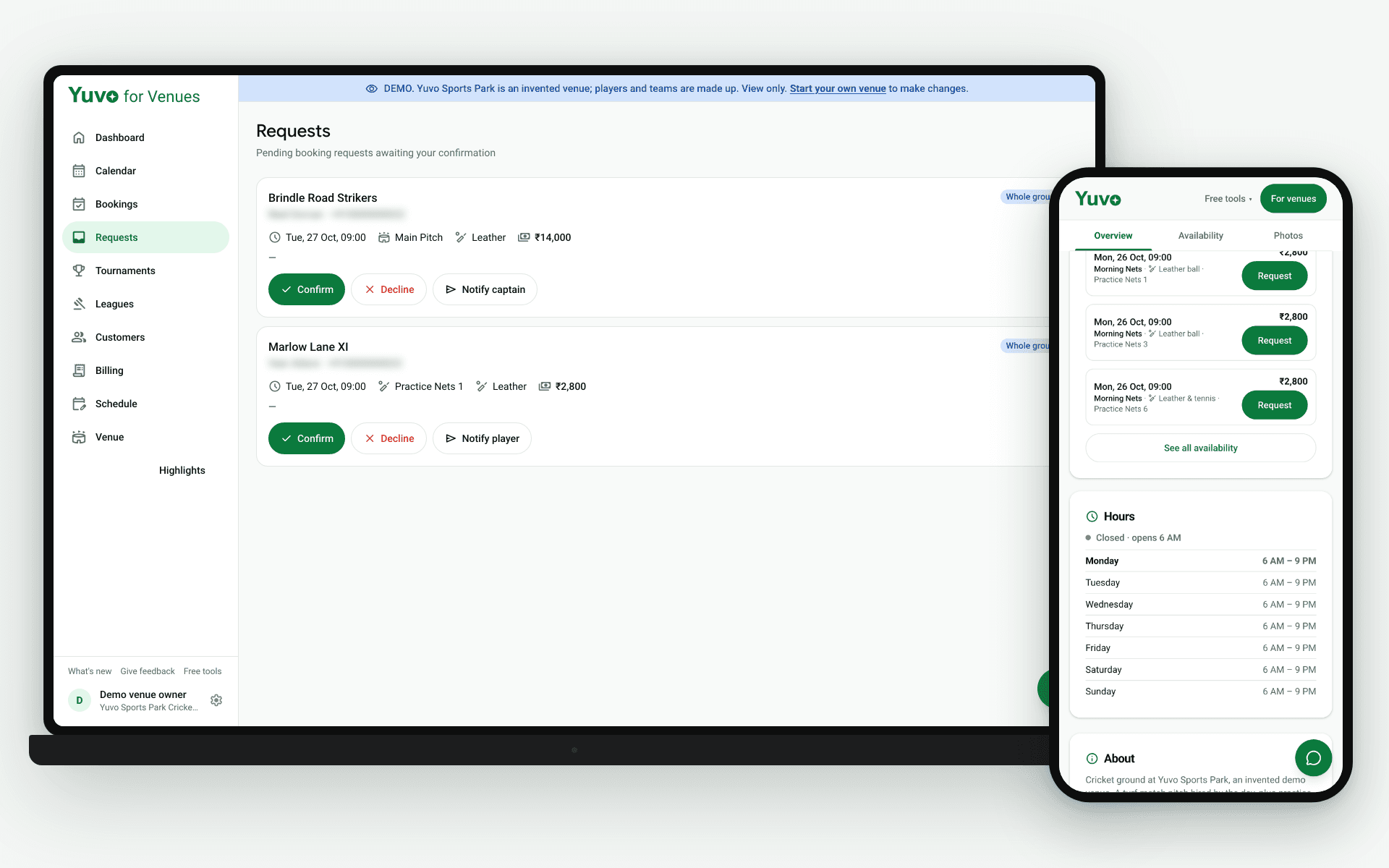
What does the captain see on the booking page?
The captain sees the venue's open slots listed on one page. Each slot carries the date, the time, the slot name, the ball type, the pitch and the price, and every slot has a button. The slot list is introduced with the words "No login needed", so the captain knows before choosing anything that no account is required.
To compare slots, the captain reads the slot name, the date and the time on each row and sees which pitch it belongs to. The price sits next to the details, so there is no need to ask the venue what a slot costs before filling in the form.
Around the slot list the page shows what a captain wants to know before travelling. There are tabs for Overview, Availability and Photos, and buttons to save the venue, get directions, call and share. The demo page for Yuvo Sports Park lists its amenities (parking, floodlights, washroom, drinking water, changing room, seating and first aid), its address and its opening hours.
What does the captain type to book?
The captain types a team name and a WhatsApp number. Those two pieces of information are all the captain enters to book or request a slot, and both are typed on the booking page itself.
The WhatsApp number is how the owner reaches the captain afterwards. It is not tied to a Yuvo account, because the captain's side of the process has no Yuvo account at all.
The team name is what the owner reads in the booking request inbox. The number should be one the captain answers, since the owner's pre-filled WhatsApp message goes to it. A wrong digit means the owner confirms a booking that the captain never hears about.
What is the difference between Book now and Request?
The owner decides which button appears by setting each pitch to confirm instantly or to need approval. When a pitch confirms instantly, the slot button reads Book now. When a pitch needs approval, the slot button reads Request.
An owner might set practice nets to confirm instantly and match slots to need approval. The wording tells the captain what happens next: a Book now slot is taken straight away, while a Request slot waits for the owner to look at it.
A captain waiting on a Request slot should leave room for the owner to answer. Nothing is confirmed until the owner confirms it.
What happens after the captain sends a request?
The request lands in the owner's booking request inbox as a pending request. When the slot has a confirm-by deadline, a countdown runs on it. The owner confirms or declines in one tap, and a pre-filled WhatsApp message is ready for the owner to send to the captain.
The message is not sent automatically. The owner presses send. If the confirm-by time passes without an answer, a scheduled job reclaims the slot, so a slot nobody answered does not stay blocked overnight.
The owner already holds the captain's number from the request. If the owner declines, the captain can pick another open slot from the same page and send the request again.
Why does no login suit a captain who books once or twice?
A captain who books once or twice has no reason to create an account, remember a password or install an app for a single ground. The public page removes that setup. The captain opens a link, picks a slot and enters a team name and a WhatsApp number.
For the owner, the link is the whole entry point. The owner can share the booking page link or put a QR standee at the ground counter, either a printable A5 card or a roll-up banner, so captains reach the same page from the venue itself.
To give your captains this booking flow, start with Yuvo for Venues (opens in a new tab), which is in beta. Each venue gets its own public booking page.